The Deadline Scramble Is a Choice (A Bad One)
The KRA filing deadline is looming. You rush to gather your sales data, your expense receipts, your eTIMS invoices. You spend a frantic weekend trying to calculate your VAT liability or your presumptive tax. You submit your return, hoping it is right. A month later, you get a KRA assessment notice: "Discrepancy detected. Please provide supporting documents."
This scramble is not inevitable. Your Business Management Dashboard can perform a monthly pre-audit, a 5-minute check that catches errors and prepares your tax data proactively, so you file with confidence, not panic.
Annual Panic
- Data is scattered across receipts
- Calculations done manually at year-end
- Errors discovered after filing
- Scrambling to find missing documents
- Tax bill hits all at once
Monthly Confidence
- Data is recorded daily
- Dashboard calculates liabilities
- Discrepancies caught immediately
- Tax reserve built up weekly
- Filing is a simple export
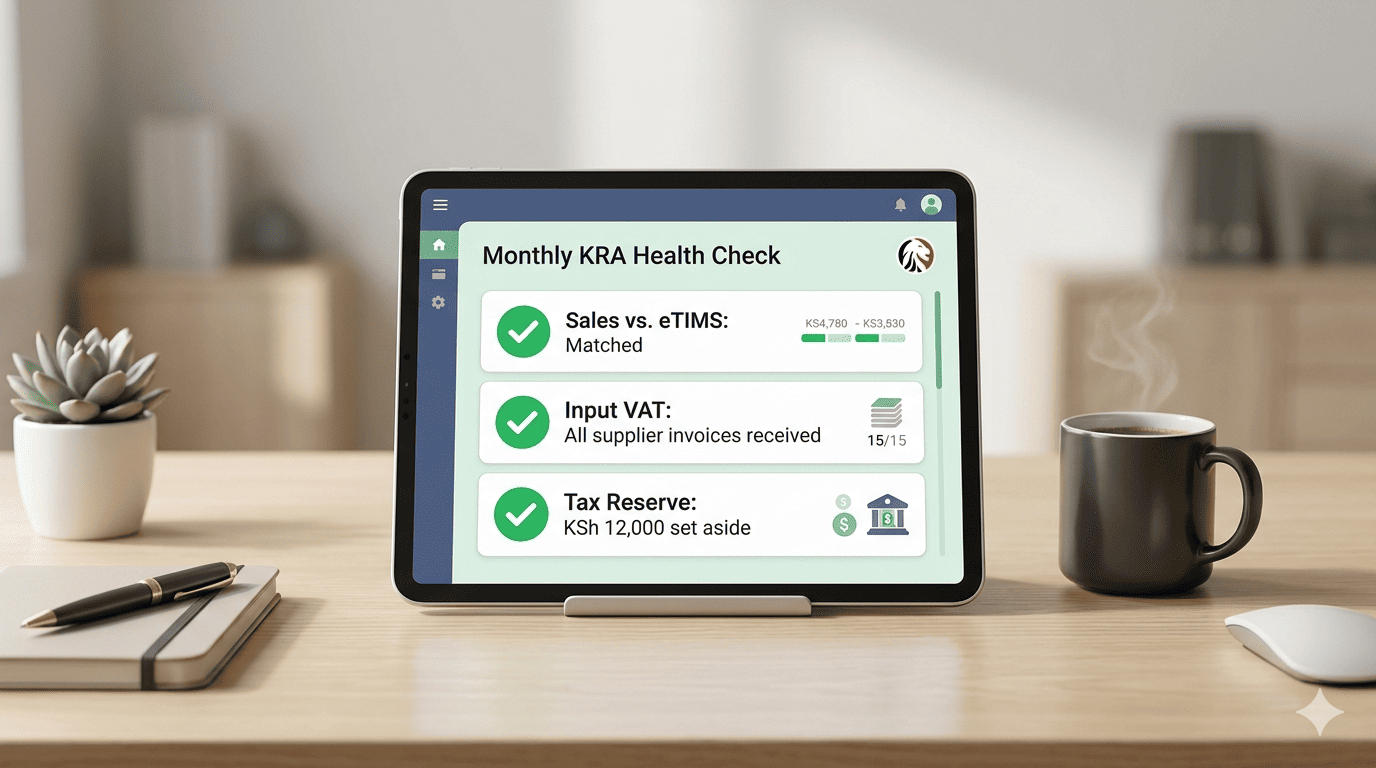
The monthly KRA health check
Set a recurring calendar reminder for the 5th of every month. Open your dashboard. Run these three checks.
Sales vs. eTIMS Summary
The dashboard compares Total Sales Recorded in Dashboard vs. Total eTIMS Invoices Generated for the month.
Any discrepancy means a sale was captured in your POS but not pushed to KRA, or vice versa. Fix it now, not at year-end.Input VAT Tracker
The dashboard tracks all supplier eTIMS invoices you have received. It totals the Input VAT you can claim. It alerts you if any supplier invoices are missing or have invalid KRA PINs.
You can chase them now, while the month is still fresh, ensuring you claim every shilling you are owed.Presumptive Tax Estimate
If you are under turnover tax or presumptive tax, the dashboard estimates your liability based on monthly turnover.
"Estimated Presumptive Tax for [Month]: KSh 7,500 (3% of KSh 250,000 turnover)." Set this amount aside or make a provisional payment to avoid a large year-end bill.The "Tax Reserve" feature
One powerful feature: the dashboard can auto-calculate and suggest a weekly transfer to a separate "Tax Reserve" M-Pesa or bank account.
Never Be Caught Short
By the time the deadline arrives, the money is already there, set aside. You are not scrambling to find funds from the current month's cash flow.
"Based on this month's sales, we recommend transferring KSh 1,875 this week to your Tax Reserve."The audit-ready export
If KRA ever sends a query, you open your dashboard, select the date range, and export a "KRA Audit Pack". This is not a reconstruction; it is a direct export of your daily records. Auditors love this.
Single PDF Export
Tax compliance is not a once-a-year event. It is a monthly rhythm. Your dashboard makes it a 5-minute check, not a 2-day panic.
Set the reminder. Run the checks. Build the reserve. File with confidence.
Ready to automate your tax compliance?
Stonehenge Digital builds business management systems with eTIMS integration, real-time VAT tracking, and automated tax reserves, designed to keep you compliant without the stress.
Set Up My Monthly KRA Health Check →Interested in Business Management System?
Let's build this for your business
Replace spreadsheets, paper records, and WhatsApp chaos with a custom system built for exactly how your business works.