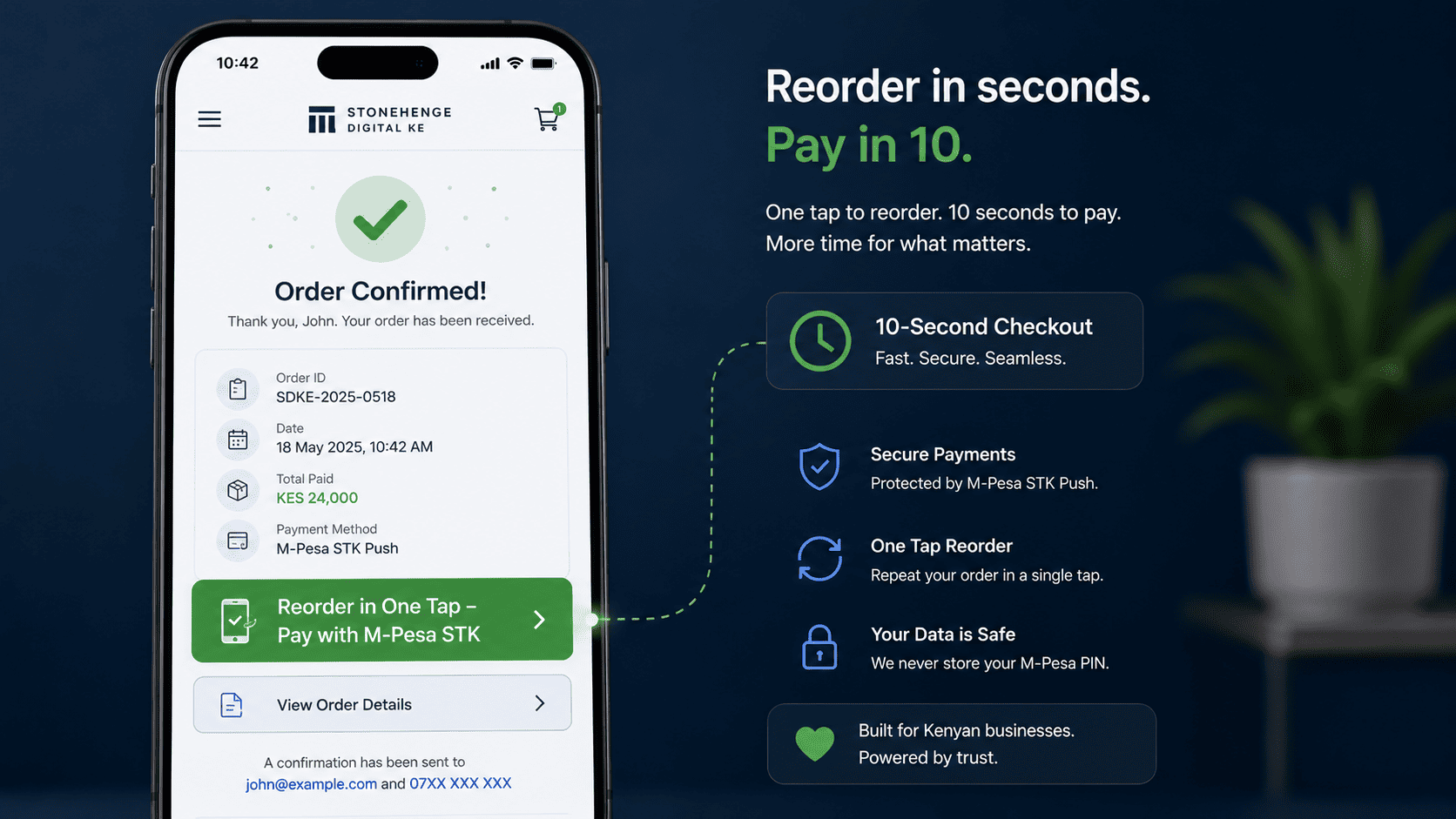
The Friction of Ordering Again
Your best customer buys the same thing every month. Each time, they search, find, add to cart, type a number and pay. That friction kills repeat purchases.
A One Tap Reorder button eliminates all that friction. It appears in the customer's account or order history. Click it, receive the STK prompt, confirm the PIN, done. Your repeat revenue just got automated.
The two paths a repeat customer can take
Same product. Same customer. Two very different amounts of effort. The gap between them is the entire reason this feature exists.
Five steps every single time
- Open the site and search for the product
- Scroll through results to find the right size or variant
- Add it to cart and confirm the quantity
- Re enter the delivery address and phone number
- Type the M Pesa number and wait for the prompt
One tap, one PIN, done
- Open the account or order history
- Tap Reorder on the previous order
- Confirm the STK Push prompt on the phone
- Enter the M Pesa PIN
- Order confirmed automatically
How to implement one tap reorder
Build a customer order history
Your e commerce system must store each customer's past orders, linked to their phone number or account. This is the foundation. Without a reliable order history, there is nothing to repeat.
If the same phone number has ordered three times, the system already knows what they usually buy and in what quantity.Add the reorder button to order confirmation and account pages
On the order confirmation page and in the customer's account history, place a prominent button. Clicking it opens a pre filled checkout with the exact same product, quantity and delivery details.
"Reorder This Item" appears right where the customer is already looking, not hidden in a menu three taps away.One click payment via STK
The customer confirms the order and pays via STK Push. No need to re enter everything. The whole process takes less than 10 seconds.
Same flow they already know from any other M Pesa payment: prompt on the phone, PIN, confirmation SMS.Send proactive reorder reminders
For products with a predictable consumption cycle, such as 30 days, send an automated SMS or WhatsApp message when the cycle comes around.
"It's time to reorder your monthly supply of Product X. Tap here to reorder instantly." This converts repeat purchases into a subscription like flow without the complexity of a formal subscription.The impact on repeat purchases
One e commerce store saw a 55 percent increase in repeat purchase frequency after implementing one tap reorder. The barrier was so low that customers reordered without thinking.
The automated reminders alone recovered 15 percent of lapsed customers, people who had stopped buying simply because the effort outweighed the habit.
Why this works so well in Kenya
The combination of a saved order history and an STK Push prompt is unusually powerful here, because it matches how people already pay every day.
- No card details to type on a small screen
- No new account to create, since the phone number already identifies them
- No app to install, because STK arrives as a normal M Pesa prompt
- No delivery details to re enter, because the previous order already had them
- No decision fatigue, because the exact same order is one tap away
What to watch after launch
- How many repeat orders originate from the reorder button
- Whether reorder reminders convert better than general newsletters
- Which products are reordered most often and deserve their own reminder cadence
- Whether average order value changes when ordering becomes easier
- Which customers used to buy monthly but have not reordered in two cycles
The summary
Do not make your best customers work to give you money. Add a One Tap Reorder button and watch your repeat revenue grow.
The work happens once, at build time. The benefit compounds every month, for every customer who comes back.
Ready to remove the friction?
Stonehenge Digital builds e commerce checkouts with M Pesa STK Push and saved order history, so a repeat customer can reorder in one tap.
Add One Tap Reorder to My Store →Interested in E-Commerce Website with M-Pesa?
Let's build this for your business
Sell to any Kenyan with a phone. Full online shop with Safaricom STK Push payment — no card needed.