The One-Person Temptation
Your shop assistant, Mary, is fantastic. She handles customers, processes sales on the M-Pesa Till, and also receives deliveries and updates the stock book. She is a one-person dynamo. But this concentration of duties is the single biggest internal control weakness in a Kenyan SME.
It is not that Mary is dishonest. It is that the system makes it too easy for dishonesty to occur. Internal fraud thrives where one person controls both the recording of sales and the recording of stock.
One Person, All Access
- Processes sales and handles cash
- Updates stock levels manually
- Can hide discrepancies
- No independent oversight
- High risk of undetected theft
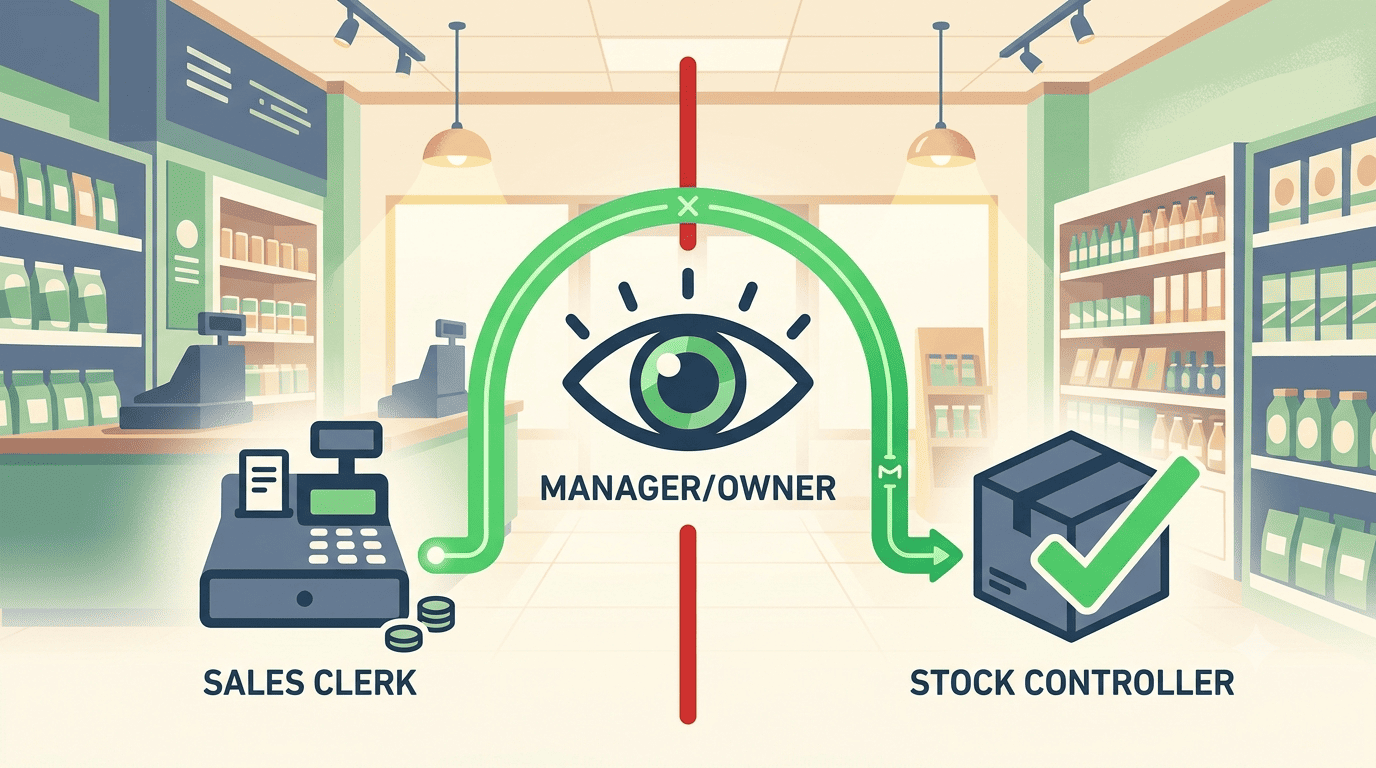
Segregation of Duties
- Sales clerk records orders
- Stock controller receives goods
- Manager approves adjustments
- Dashboard flags exceptions
- Honest staff protected
Why one person should not do both
If Mary can process a sale and update the stock, three specific risks emerge:
The Unrecorded Sale
She can sell an item, pocket the cash, and not record the sale. The stock count will be wrong, but because she controls that too, she can simply adjust the stock to cover the missing item.
The Short Delivery
She can receive a supplier delivery, record fewer items than actually arrived, and take the extra stock home. Without a second pair of eyes, the discrepancy is invisible.
The Fake Discount
She can issue unauthorised "discounts" to friends, undercharge for items, and cover the discrepancy with a stock adjustment, blaming it on shrinkage.
How to enforce SoD with login permissions
A Business Management Dashboard enforces Segregation of Duties (SoD) through role-based login permissions. Here is how the three roles should look.
Role 1: Sales Clerk
- Process sales (record an order, receive M-Pesa or cash)
- Print receipts
- Cannot: Adjust stock levels
- Cannot: Void transactions (or limited voids with manager approval)
- Cannot: Access supplier records
Role 2: Stock Controller
- Receive supplier deliveries and update stock levels
- Perform stock takes and adjust inventory (with manager approval for large adjustments)
- Cannot: Process sales
- Cannot: Access the till
- Cannot: Issue refunds
Role 3: Manager / Owner
- Full visibility of all transactions and stock movements
- Approval of voids, large discounts, and significant stock adjustments
- Access to Segregation of Duties reports
The small team exception
If you only have two employees, strict SoD is difficult. In that case, the dashboard provides the oversight layer.
The SoD Exception Report
Any transaction where the same person handled both sale and stock is flagged in a daily "SoD Exception Report." The owner reviews these flagged transactions every evening.
The knowledge that the owner is reviewing exceptions acts as a powerful deterrent. It does not accuse the employee, but it removes the opportunity for silent theft.
Segregation of duties is not about mistrust. It is about building a system that protects honest employees from temptation and protects your business from loss.
Use role-based permissions to separate the recording of sales from the recording of stock.
Ready to secure your operations?
Stonehenge Digital builds business management systems with role-based access control, SoD exception reports, and transaction approval workflows, designed to protect your business and empower your team.
Set Up Role-Based Permissions →Interested in Business Management System?
Let's build this for your business
Replace spreadsheets, paper records, and WhatsApp chaos with a custom system built for exactly how your business works.