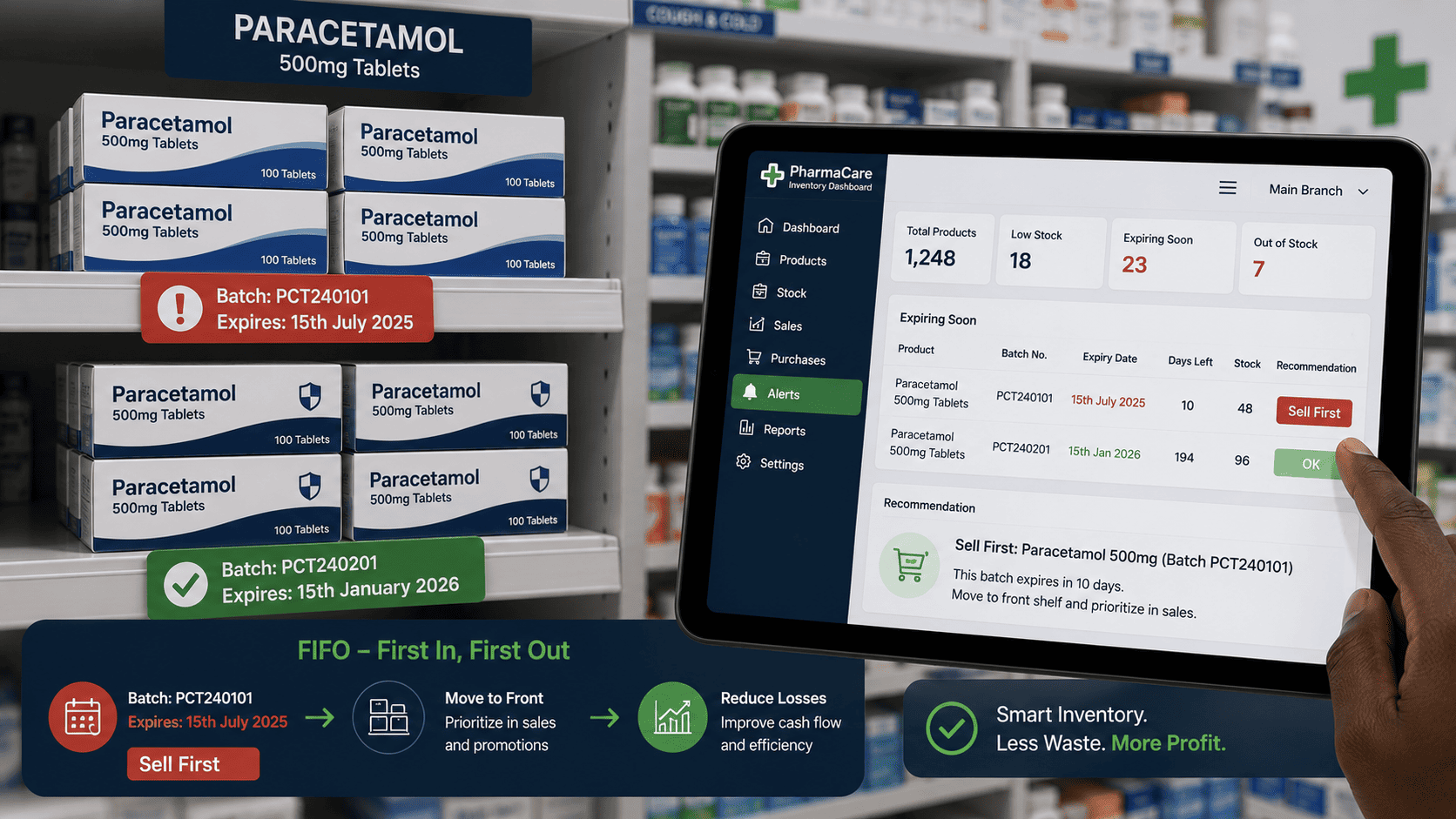
The Hidden Expiry Drain
You have stock on the shelf. The newer batch arrived last week, the older batch sits behind it. Staff naturally reach for the front. The older stock quietly approaches its expiry date, then gets written off.
This is a slow, silent profit leak. It happens in pharmacies, food shops, cosmetics stores and any business with expirable products. The solution is a First Expiry First Out rotation system, managed by your dashboard.
How the silent loss actually happens
Nobody decides to waste stock. It just happens, one small batch at a time, because the shelf order and the expiry order do not match.
Four small steps from stock to write off
The leak is silent because no single person made a mistake. The system simply allowed older stock to disappear from attention.
How the FEFO dashboard works
Record expiry dates on intake
When you receive a new batch of stock, you input or scan the expiry date along with the quantity. The dashboard then knows exactly which batches are on hand and when each one expires.
Batch number, quantity and expiry date, captured once at the point of delivery.The sell first list
At the point of sale or during daily picking, the dashboard suggests which batch to sell first. Staff are guided to pick the older batch, without having to check the shelf themselves.
"Batch 123, expires 15 July, should be sold before Batch 124, expires 30 July."The expiry countdown alerts
The dashboard generates a weekly report of what is about to expire. You can proactively discount these items or push them to a must sell display before they lapse.
"Items expiring within 30 days: Product A, Batch 123, 12 units remaining."Automated write off prevention
For items genuinely approaching expiry with no hope of sale, the dashboard flags them for donation or disposal with a clear record. This prevents a silent loss from becoming an undocumented write off.
A flagged item has a date, a quantity, a reason and an approval, not just a missing line on a stock sheet.What the countdown report looks like
Expiring within 30 days
| Product | Batch | Expires | Units | Action |
|---|---|---|---|---|
| Product A | 123 | 15 July | 12 | Urgent |
| Product B | 118 | 22 July | 6 | Discount |
| Product C | 121 | 5 August | 24 | Push display |
| Product D | 119 | 18 August | 31 | Monitor |
A report like this turns a silent risk into a short, specific to do list. Four products, four decisions, no guessing.
The financial impact
One pharmacy we worked with reduced expiry related losses by 55 percent within three months of implementing FEFO. The system paid for itself in the first month through recovered stock value.
Documented write offs versus silent ones
No record, no learning
- Stock simply disappears from the count
- Nobody knows which batch it was
- No reason is recorded
- The same pattern repeats next month
- Losses cannot be analysed or prevented
A record you can act on
- Batch, quantity and expiry date recorded
- Reason captured, such as slow moving
- Donation or disposal clearly noted
- Approval and date attached
- Patterns become visible over time
A practical start this week
What to do before buying any software
- Walk the shelf and find every batch that expires within 60 days
- Note which batches are hidden behind newer stock
- Add expiry dates to your stock records for those items first
- Decide a simple rule, such as 60 days to discount and 30 days to urgent
- Tell staff the older batch is always picked first, and why
Who this matters most for
- Pharmacies handling medicines with strict expiry dates
- Food shops and grocery stores with perishable stock
- Cosmetics and skincare retailers with shelf life limits
- Clinics and laboratories with dated consumables
- Agrovet and input suppliers with seasonal products
- Any warehouse holding batches with different expiry dates
The summary
Stop letting old stock die in silence. Use a FEFO dashboard to rotate and protect your inventory value.
The system does not ask staff to remember more. It simply tells them which batch to reach for, and warns you before the shelf becomes a write off.
Ready to protect your stock value?
Stonehenge Digital builds business management dashboards with batch tracking, expiry alerts and FEFO picking guidance, so older stock always moves first.
Set Up FEFO Rotation →Interested in Business Management System?
Let's build this for your business
Replace spreadsheets, paper records, and WhatsApp chaos with a custom system built for exactly how your business works.