Business Management | Financial Control
The Nightly Discipline That Saves You Money
Every business day generates payments, orders, refunds, and other financial transactions. If customers pay through your M-Pesa Till, your payment records and website orders need to tell the same financial story.
When the figures do not match, there may be a missing sale, an unrecorded payment, a reversal, a duplicated entry, or a transaction that still needs verification. Identifying the difference early makes it easier to investigate while the details are fresh.
Your daily financial check
Ten minutes to review today's payments, investigate differences, and keep your records under control.
Time required
10 minutes
Primary purpose
Find differences
End result
Clear records
This guide walks you through a practical nightly routine for Kenyan businesses that receive payments through an M-Pesa Till and manage orders using a website or business management system.
What You Need Before You Start
Prepare these three things before beginning your daily check:
01
M-Pesa Records
Access to your official Till transaction statement or an authorised integration that imports transaction data.
02
Order Dashboard
Access to your website orders, invoices, refunds, expenses, and payment records.
03
Ten Focused Minutes
A quiet period at the end of the business day to review the day's financial activity.
Your 10-Minute Reconciliation Routine
Follow the timeline in order. If an item needs more investigation, record it and assign follow-up rather than forcing an unresolved transaction to appear reconciled.
Min
1-2
Fetch the Day's M-Pesa Transactions
Open your dashboard's M-Pesa reconciliation area, if available. If transaction imports are configured, review the imported records. Otherwise, retrieve the relevant Till statement or transaction report through your authorised Safaricom channel.
Check: Are you reviewing the correct Till, date range, and transaction types? Make sure the report covers the entire reconciliation period.
Min
2-4
Review the Automatic Matches
Compare transactions in the M-Pesa records with orders and other entries in your business system. If your software supports automatic matching, review the results instead of assuming every suggested match is correct.
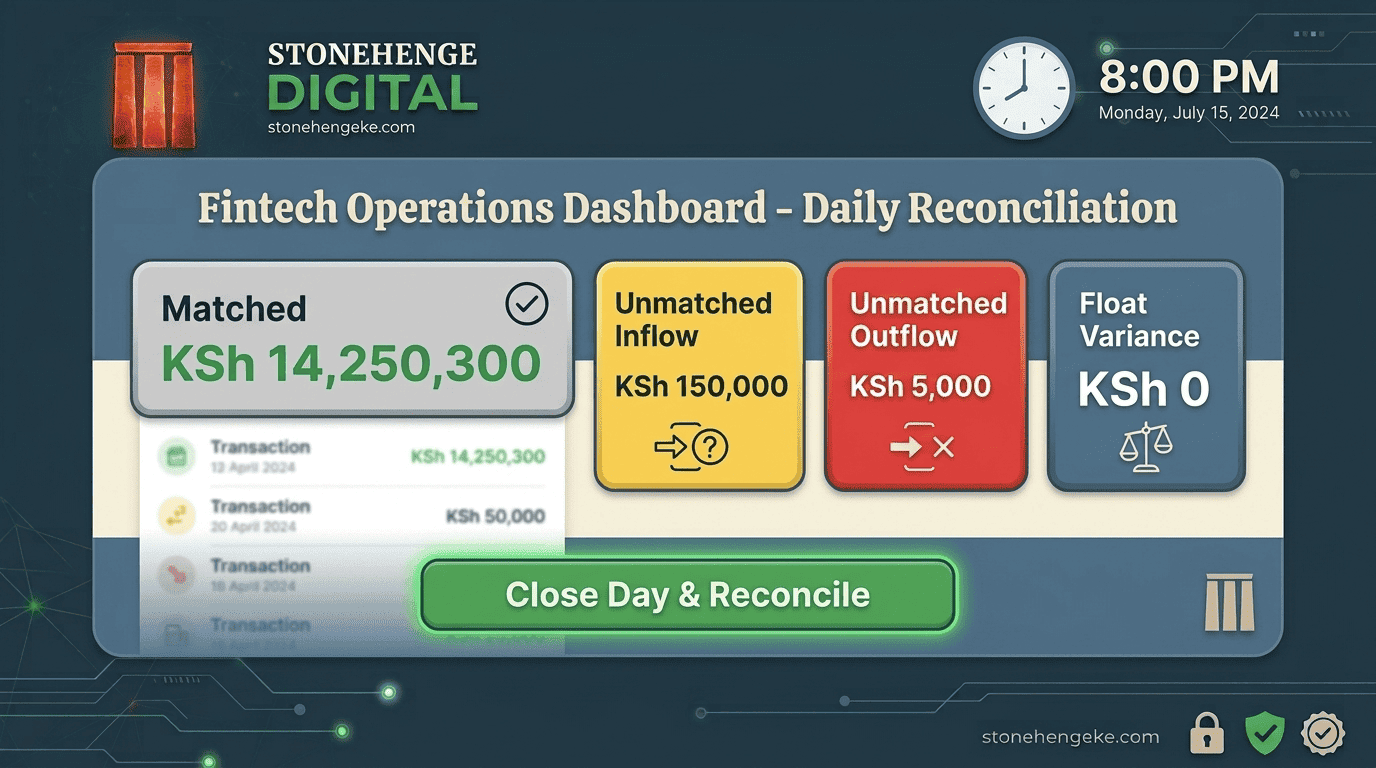
Matched
The transaction matches an order or another expected record based on the available identifiers and amount. Confirm the details and proceed.
Unmatched Inflow
Money was received, but the system has not found a corresponding order or other record. This could be an unrecorded sale, invoice payment, owner contribution, or another receipt that needs identification.
Unmatched Outflow
Money was deducted or transferred, but the corresponding transaction has not been identified in your records. Investigate the reference and reason before classifying it.
Colour labels are illustrative. A matching amount alone does not prove that two transactions are related.
Min
4-7
Investigate Unmatched Transactions
Focus on transactions that remain unexplained. Use the transaction reference, receipt number, customer details, invoice, and supporting records to determine what actually happened.
When money comes in
- Check whether a staff member recorded a sale manually but did not enter it into the system.
- Check whether the payment settles an older invoice or an order recorded on a different date.
- Determine whether the receipt is an owner contribution, transfer, or other non-sales receipt, and record it under the appropriate category.
When money goes out
- Check whether a payment was reversed. Record the reversal and update the associated order or invoice based on the verified outcome.
- Investigate loan-related deductions or transfers. Record them according to their actual nature and supporting records.
- Identify owner withdrawals or transfers and record them separately from ordinary business operating expenses.
Important accounting distinction: A loan repayment, owner withdrawal, reversal, or transfer should not automatically be classified as a bank charge or ordinary expense. Use the underlying transaction details and your accounting policy to determine the correct treatment.
Min
7-9
Check the Float Variance
Compare the expected balance from your recorded opening balance and transactions with the actual closing balance shown in the relevant M-Pesa records.
The balance calculation
Opening balance + inflows - outflows = expected closing balance
Then compare it against
Actual closing balance in the M-Pesa record
For example, if your expected balance is KSh 18,500 but the statement shows KSh 18,000, the variance is KSh 500. The difference needs investigation before the day's records can be considered fully reconciled.
Common reasons for a difference
A pending transaction, an omitted receipt, a reversal, a transfer, a timing difference, or an error in the recorded opening balance may explain the variance. Verify the transaction history and the provider's balance definition before drawing a conclusion.
Min
9-10
Close the Day
When all transactions are matched or every remaining difference has been documented and assigned for follow-up, finalise the day's reconciliation.
- Review the final expected and actual balances.
- Record unresolved items and who will investigate them.
- Generate or save the daily reconciliation report.
- Finalise the day's records using your system's close-of-day process.
Good practice: An unresolved item should remain visible as unresolved. Avoid locking inaccurate records or treating an unexplained difference as a confirmed match.
The Benefits of This Daily Routine
Benefit 01
Catch Errors Earlier
A KSh 500 discrepancy is often easier to investigate on the day it occurs than weeks later when transaction details are harder to trace.
Benefit 02
Improve Your Financial Records
Daily reconciliation helps you maintain more reliable sales and payment records for monthly financial reporting.
Benefit 03
Know Where Your Money Stands
Keep track of receipts, deductions, reversals, and outstanding questions instead of relying on memory.
Benefit 04
Prepare Better Records
Maintain organised evidence for internal reviews, accountants, lenders, and any applicable tax or compliance requirements.
Daily reconciliation supports good bookkeeping, but it does not replace proper accounting procedures, tax records, or professional advice where required.
Make It a Habit
Give Your Finances a Daily Closing Time
Choose a time that fits your business hours. It could be 8:00 PM or whenever your team finishes processing the day's sales and payments.
Your nightly checklist
- Retrieve the day's M-Pesa transaction records.
- Match payments against orders and invoices.
- Investigate unmatched receipts and deductions.
- Compare expected and actual balances.
- Save the reconciliation report and assign remaining follow-up tasks.
Repeat the routine consistently. As your business grows, automate the matching and reporting steps where practical, while keeping a person responsible for reviewing exceptions.
Your Money Deserves More Than Guesswork
Reconciliation is not just about making two balances look equal. It is about understanding why the money moved, confirming that every important transaction has been recorded correctly, and keeping evidence of what happened.
A consistent 10-minute review can help you spot missing records earlier, improve financial visibility, and make it easier to prepare your books for monthly reporting.
Close each business day with clear records, not unanswered questions.
Bring Your Business Records Together
Simplify Daily Reconciliation with a Business Management System
Stonehenge Digital KE helps Kenyan businesses organise orders, payments, invoices, and business records through practical digital solutions. Let's explore a system that fits the way your business operates.
Set Up My Daily Reconciliation →Stonehenge Digital KE | Business management solutions for Kenyan businesses
Interested in Business Management System?
Let's build this for your business
Replace spreadsheets, paper records, and WhatsApp chaos with a custom system built for exactly how your business works.